Bom Calendarは通知に必要な最小限のバックグラウンド動作のみを行うため、バッテリー最適化の対象外にしてもバッテリー消費に大きな影響はありません。
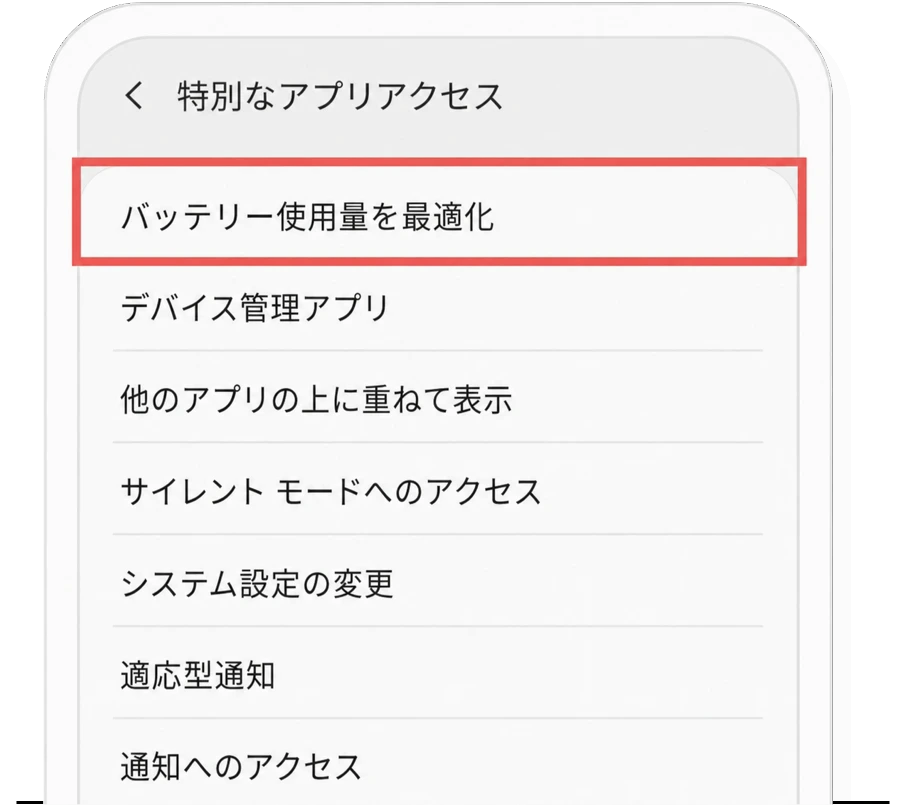
「バッテリー使用量の最適化設定」画面の下にある「端末の設定を開く」をタップし、バッテリー最適化の設定画面に移動してください。

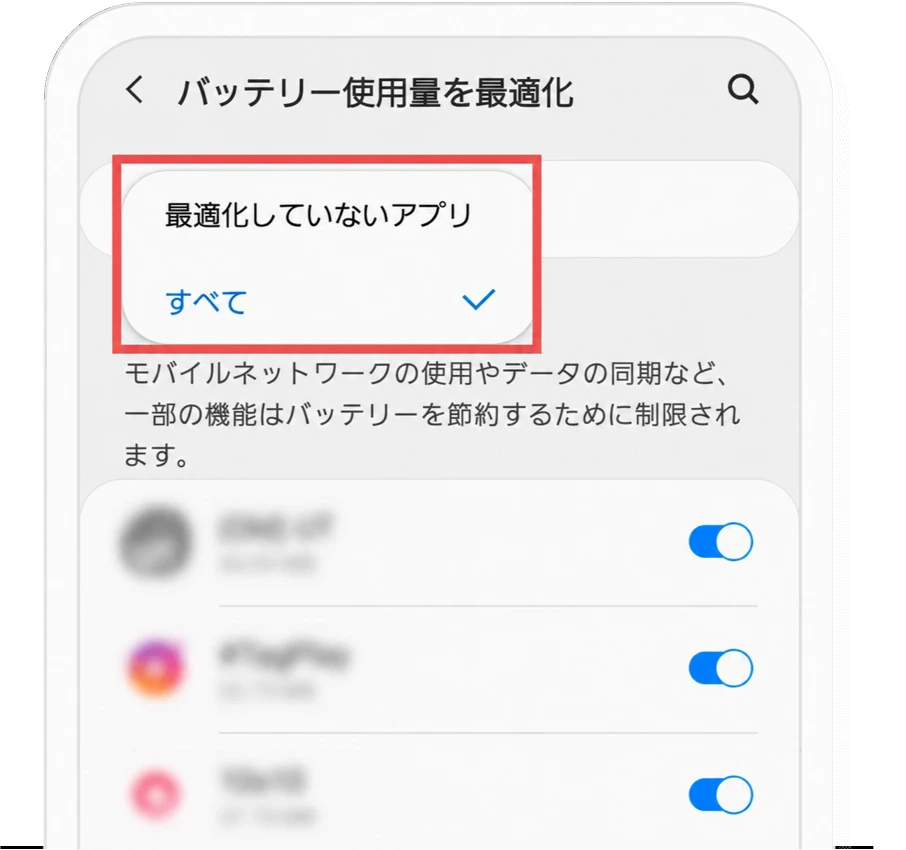
画面上部の「最適化していないアプリ」をタップし、メニューから「すべて」を選択してください。
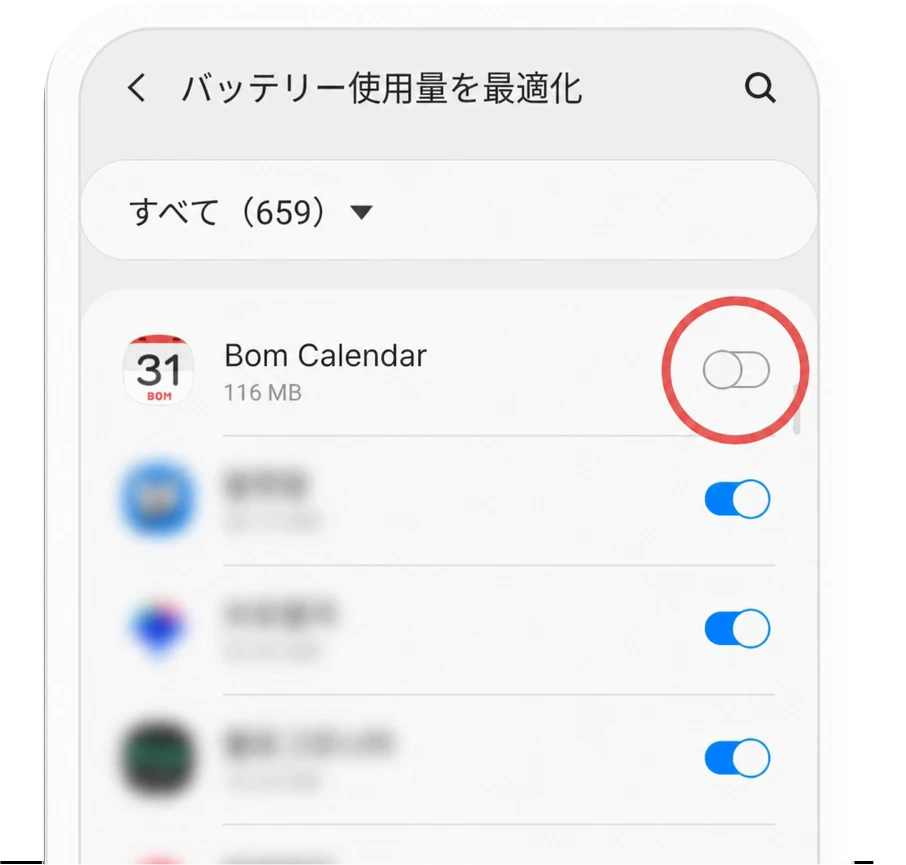
アプリ一覧からBom Calendarを探し、スイッチをオフにしてください。
Bom Calendarは通知に必要な最小限のバックグラウンド動作のみを行うため、バッテリー最適化の対象外にしてもバッテリー消費に大きな影響はありません。
「バッテリー使用量の最適化設定」画面の下にある「端末の設定を開く」をタップし、バッテリー最適化の設定画面に移動してください。
画面上部の「最適化していないアプリ」をタップし、メニューから「すべて」を選択してください。
アプリ一覧からBom Calendarを探し、スイッチをオフにしてください。