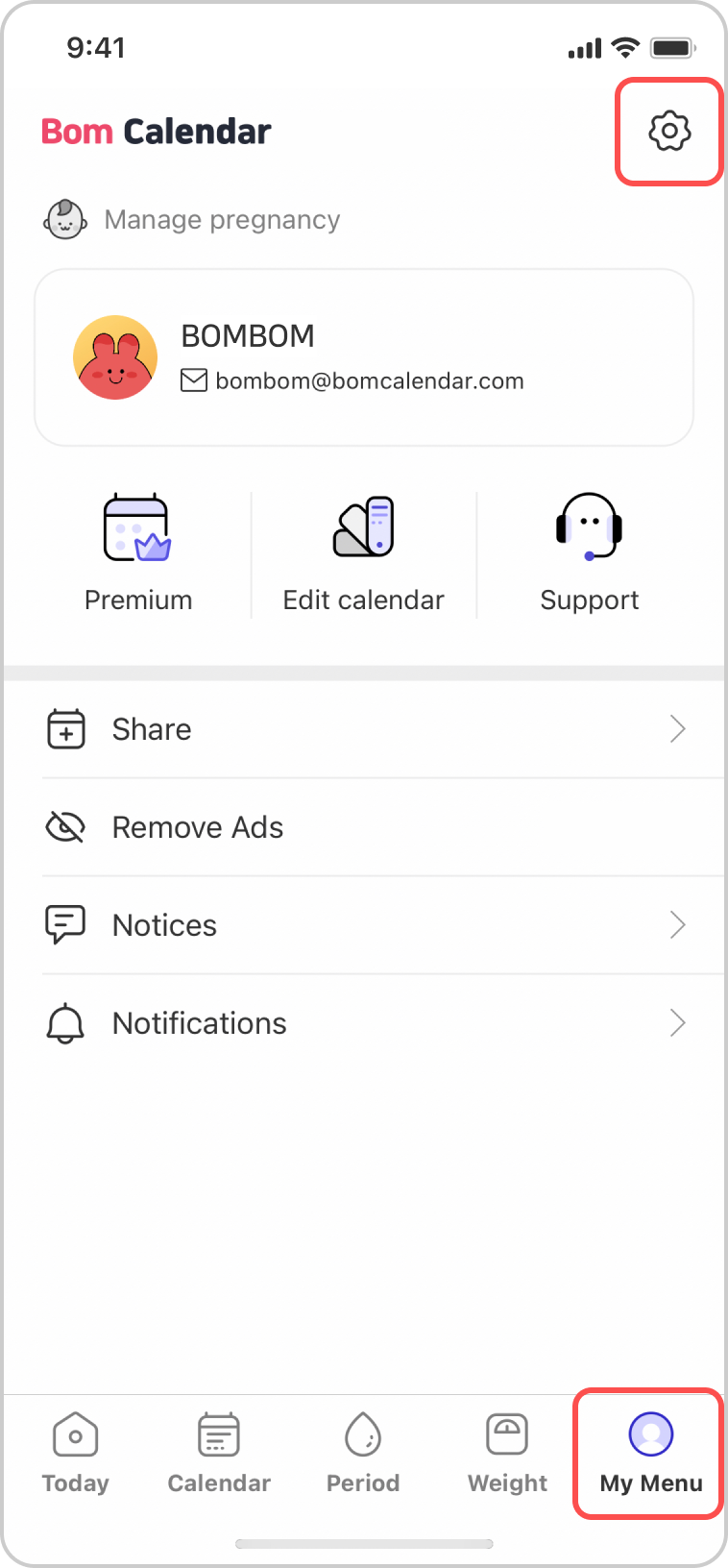
1. Select My Menu from the bottom tab.
Tap the settings icon at the top of the My Menu screen.
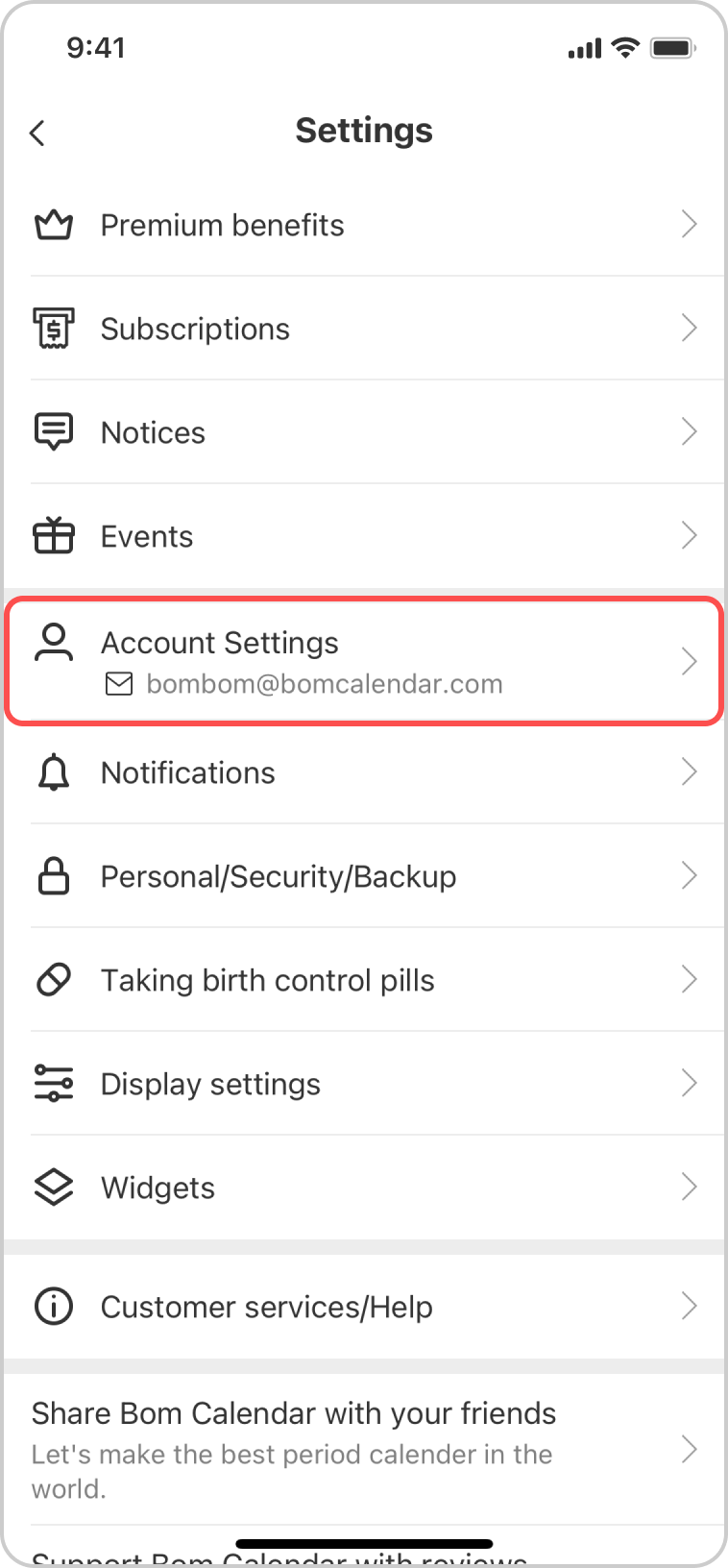
2. Select Account Settings.
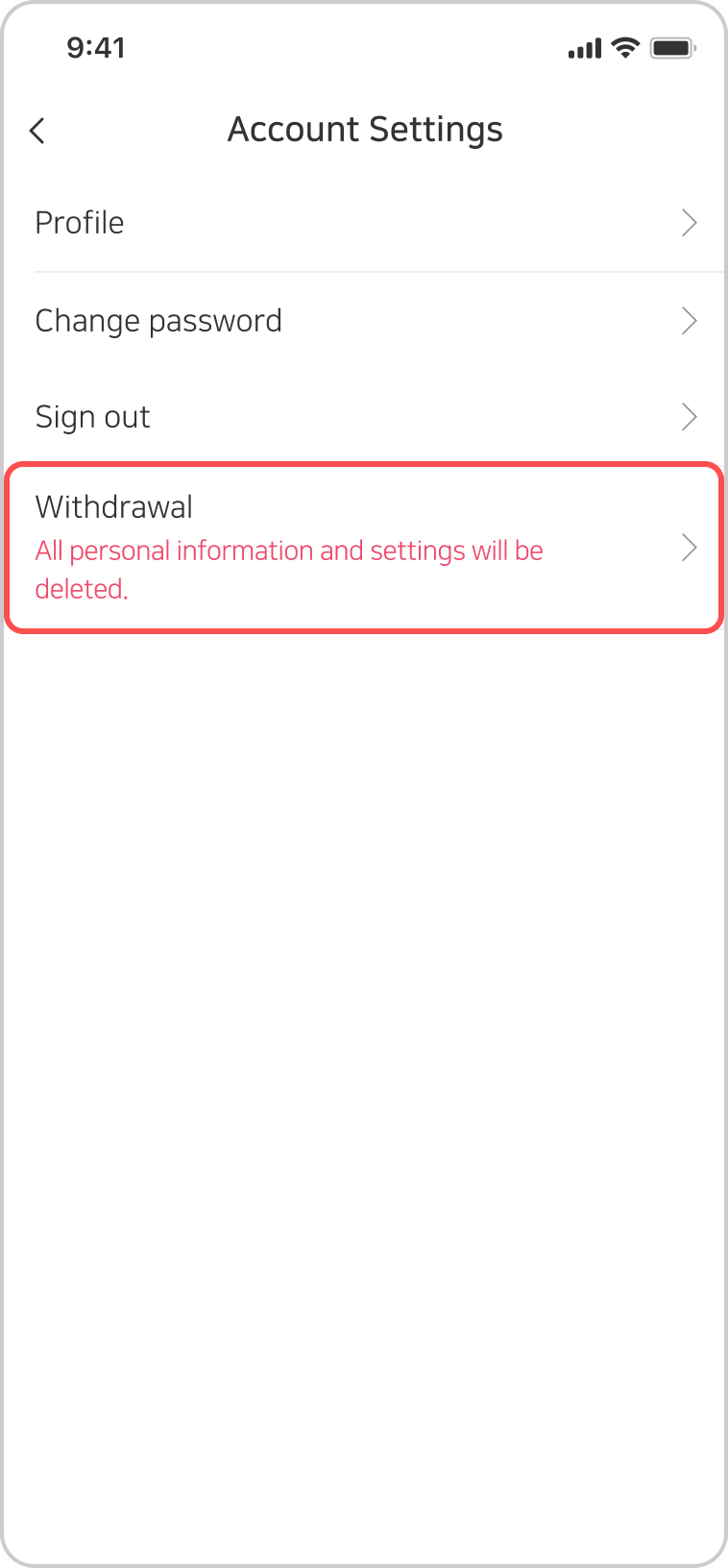
3. Select Withdrawal.
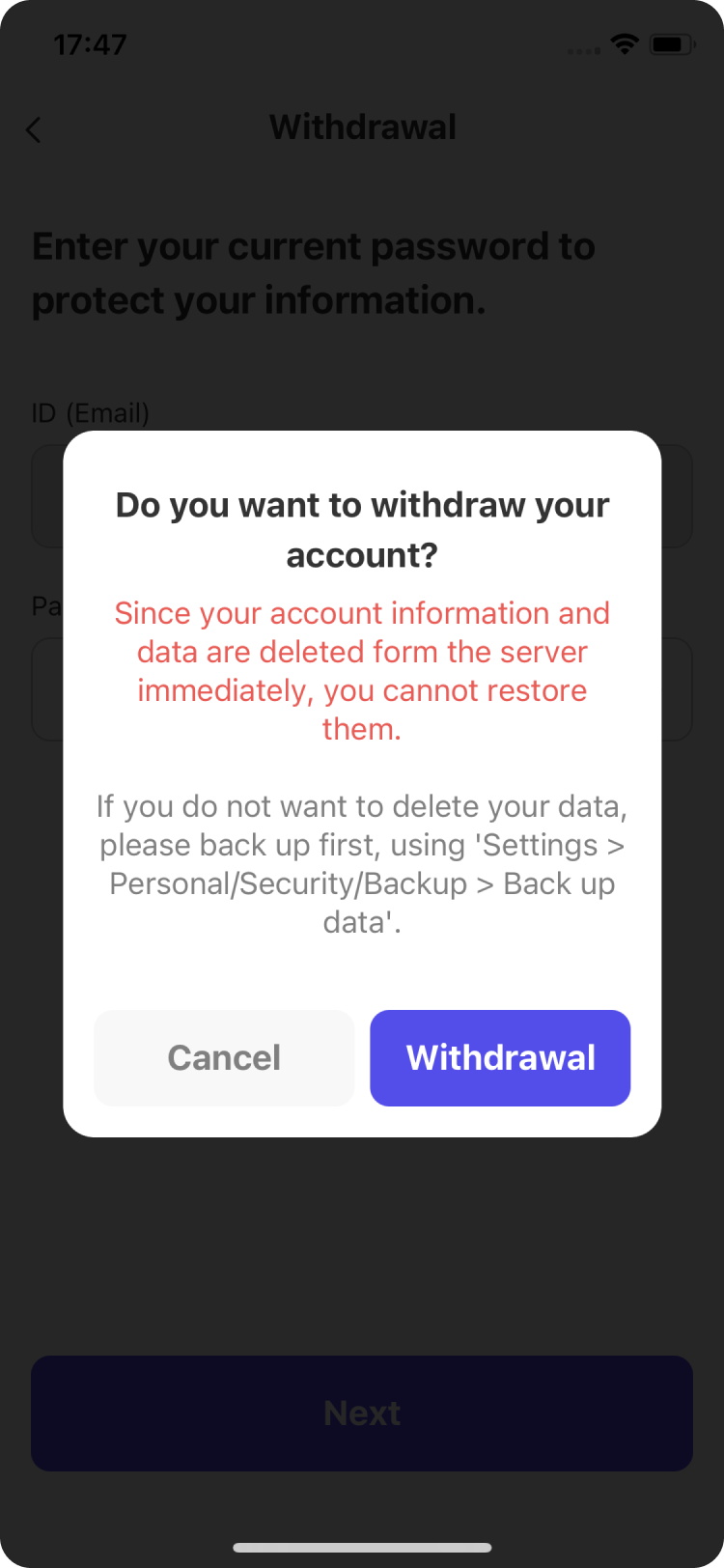
4. Read the notification message carefully.
After reviewing the data-deletion instructions, tap the Withdrawal button.
5. Enter your password to verify your identity.
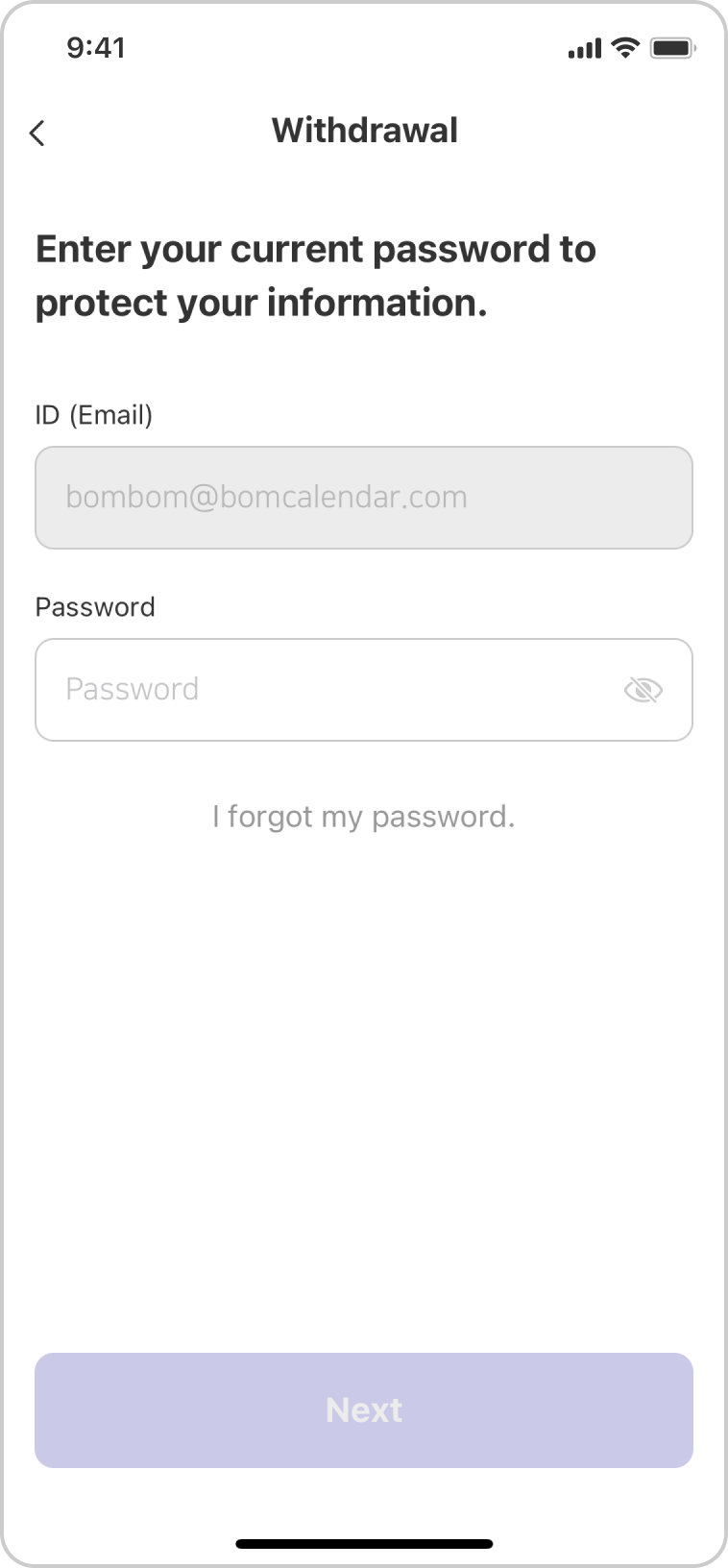
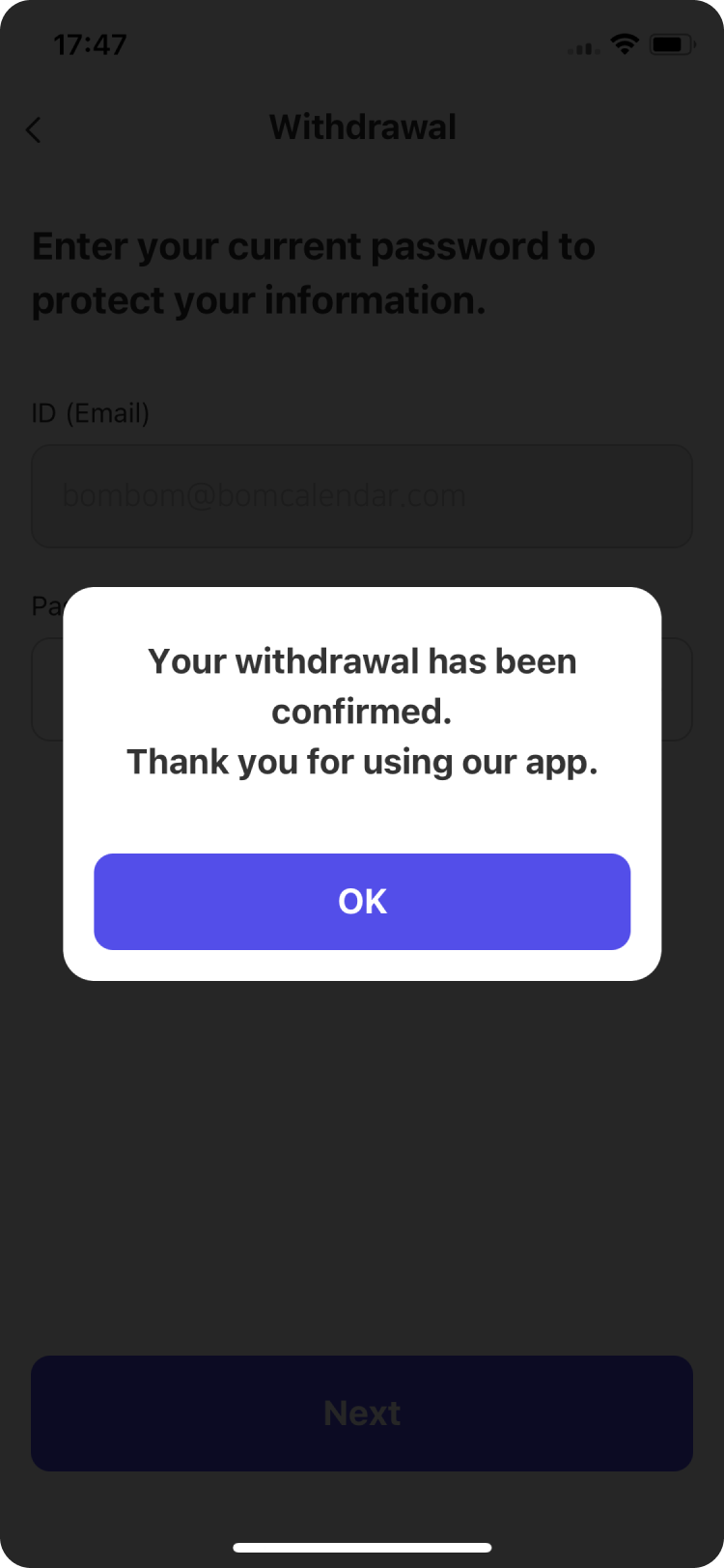
6. Your withdrawal is complete.
Your account data will be securely deleted.
Do you have any other questions regarding account and related data deletion? Please feel free to contact us at the e-mail below. 🙂
Bom Calendar - Period tracker · Developer: bomcomes
E-mail: help@bomcomes.com