Widgets often appear as soon as a smartphone is unlocked, which can unexpectedly reveal menstrual-cycle information to people nearby.
Bom Calendar redesigned the widget to represent your status symbolically with characters and background images instead of displaying menstrual information directly.
When there are no records on the calendar
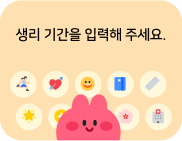
- This is the screen shown after first installing Bom Calendar or when there are no records yet.
- Tap the + button at the bottom of the calendar to start recording.
Period
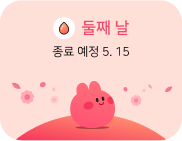
- It displays how many days the period has been ongoing and when it is expected to end.
- A pink background means you are currently on your period.
Fertile window
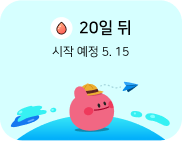
- It shows the expected next period date as a D-day and date.
- A sky-blue background means you are currently in your fertile window.
Ovulation
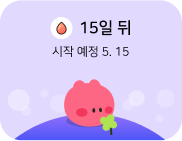
- It shows the expected next period date as a D-day and date.
- A lavender background means you are currently in your ovulation phase.
Period late
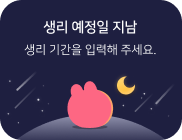
- The expected period date has passed, but there are no further records.
- A dark night background means the expected period date has passed.
Pregnant
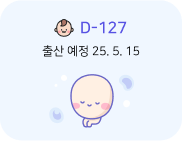
- It displays the expected due date as a D-day and date.
- A fetus in the background means you are pregnant.
Safe period
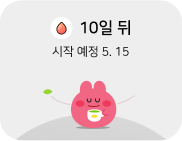
- It shows the expected next period date as a D-day and date.
- If BOMBOM is comfortably drinking tea, you are currently in your safe period.
Taking birth control pills
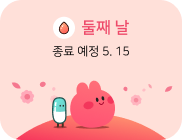
- If BOMBOM is accompanied by a friend shaped like a birth control pill, you are currently taking birth control pills.
That’s how to interpret the new Bom Calendar widget. We will continue improving the app to make your experience more convenient. Thank you. 🙂